
→ Menu
MVP Released
Puzzle AI
Building convergent brainstorming tool from 0→1
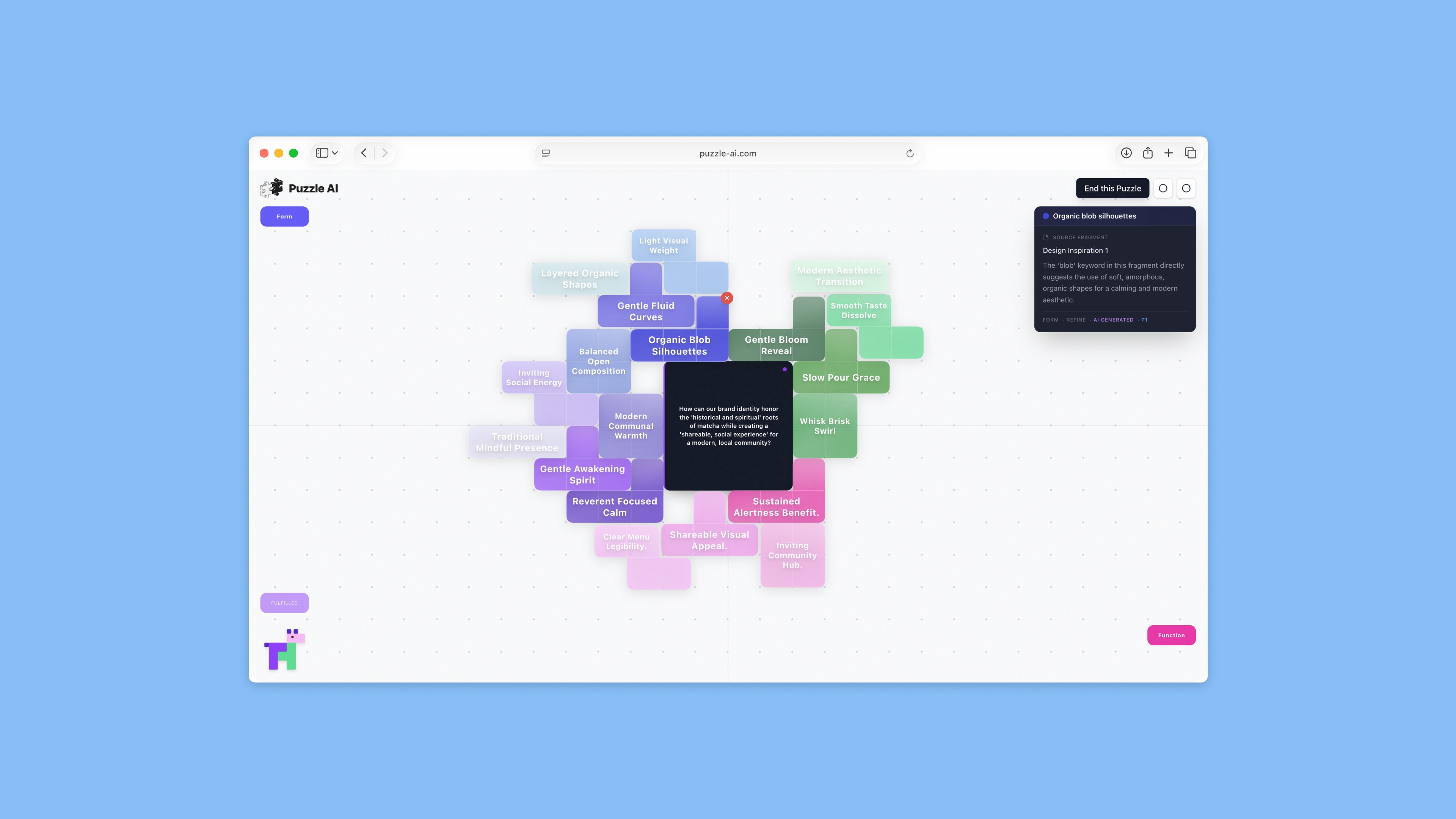
Puzzle AI is a thinking canvas that helps creative thinkers converge scattered fragments into clear direction.
Early brainstorming often involves collecting fragmented inspirations such as visual references, notes, images, and half formed thoughts. Moving from these fragments to a coherent direction is complex and poorly supported by existing creative tools or text based AI chat interfaces.
Puzzle AI was designed as a visual led environment that supports reflective sense making and helps users converge on direction through interaction rather than linear prompts.
Role
Product designer & front-end developer
Skills
Concept development
Product design
Interactive prototyping
User research & testing
Front-end development
Timeline
Oct 2025 - Dec 2025
Tools
Figma
Cursor
Adobe Creative Suite
Team
Kida Huang
May Choy
Sydney Nguyen
Connie Cheng
Problem
Early stage brainstorming is often messy and non linear. In creative work, people collect fragmented inspirations across tools, but struggle to move from accumulation to decision, while text based LLM chat interfaces offer limited support for visual, back and forth sense making.
The challenge is not generating ideas, but making sense of them and identifying a direction worth pursuing. Creators often feel stuck between inspiration and decision.
User Research
To better understand this gap, we ran an early survey with over 60 participants exploring how they think and create during brainstorming.
Key Findings ↓
(01) Motivation
78% of participants are motivated to capture ideas in order to make sense of their own thoughts.
(02) Need
43% of participants prioritized connecting ideas visually when asked what would help most in a creativity tool, far exceeding any other option.
(03) Pain Point
“I have too many thoughts but can’t organize them” emerged as the most commonly reported struggle in creative work.
These findings pointed to a clear gap between idea collection and convergence, shaping our focus on sense making rather than idea generation.
Solution
We built Puzzle AI as a hybrid visual and conversational system for convergent creative thinking. It helps users move from scattered fragments to a clear direction through an interactive puzzle workflow.
You Might Ask ↓
Why Use Puzzle as the Metaphor?
We were inspired by our survey, where participants repeatedly mentioned “I have all the puzzle pieces but I can’t figure out how to put them together.”
Who is Puzzle AI designed for?
Anyone who needs to move from ambiguity to direction. While designers were our starting point, the system supports a broader range of creative work.
When should I use Puzzle AI in my creative process?
After ideas are gathered but before a direction feels clear, between inspiration and commitment.

System Design
As the product designer of this project, I led the interaction design and prototyping of Puzzle AI. I worked with the visual designer to adapt the visual language to the UX framework.
I was also responsible for the front end implementation, making sure the design was accurately carried through from prototype to production.
In the following sections, I walk through how the product was designed across different stages.
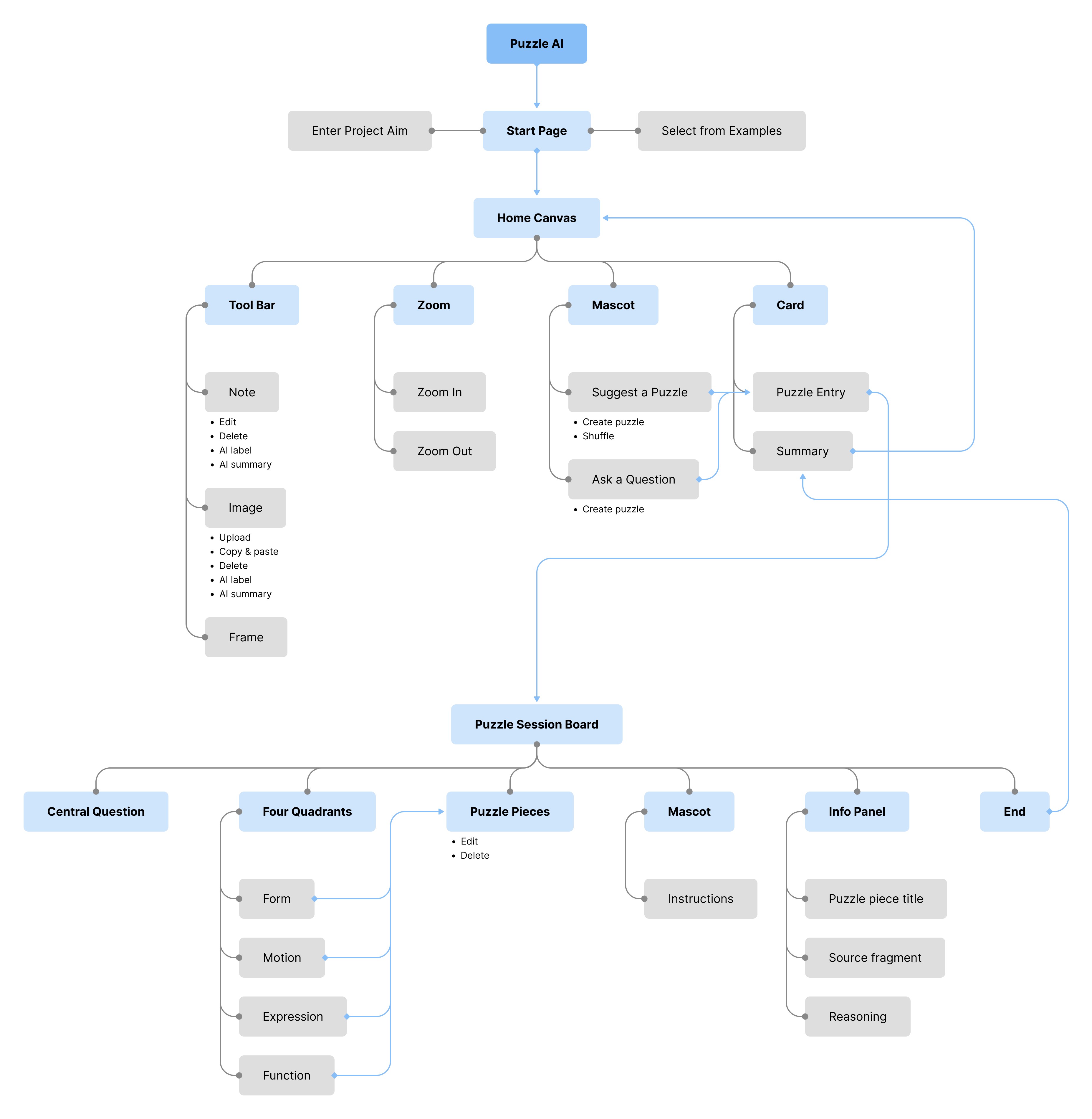
Information Architecture
I explored how the core features of Puzzle AI are organized, from onboarding to the puzzle session.
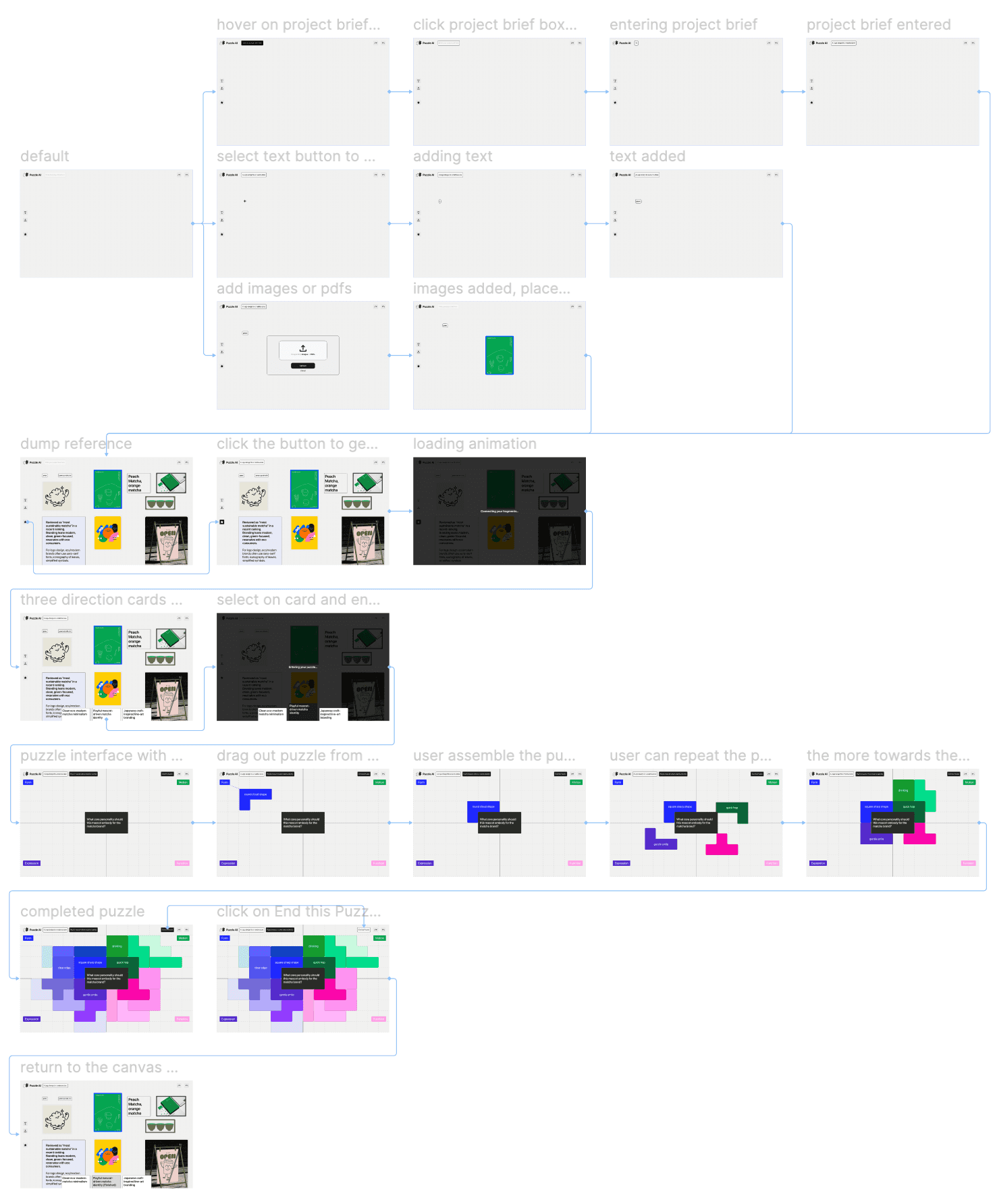
Low-fidelity Prototype
Below shows my early interaction ideas through low fidelity prototypes, focusing on flow and behavior rather than visual detail.
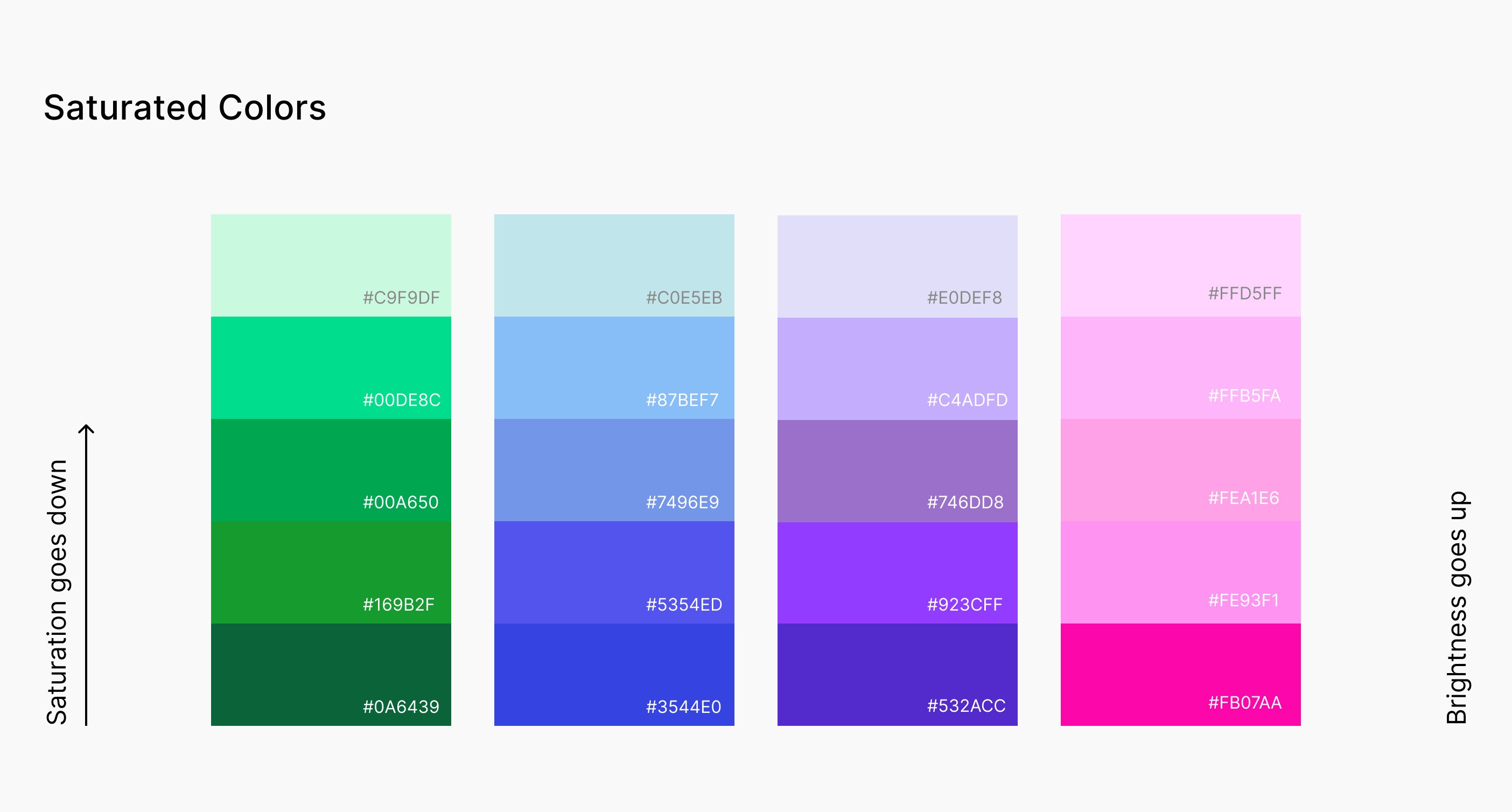
Visual System
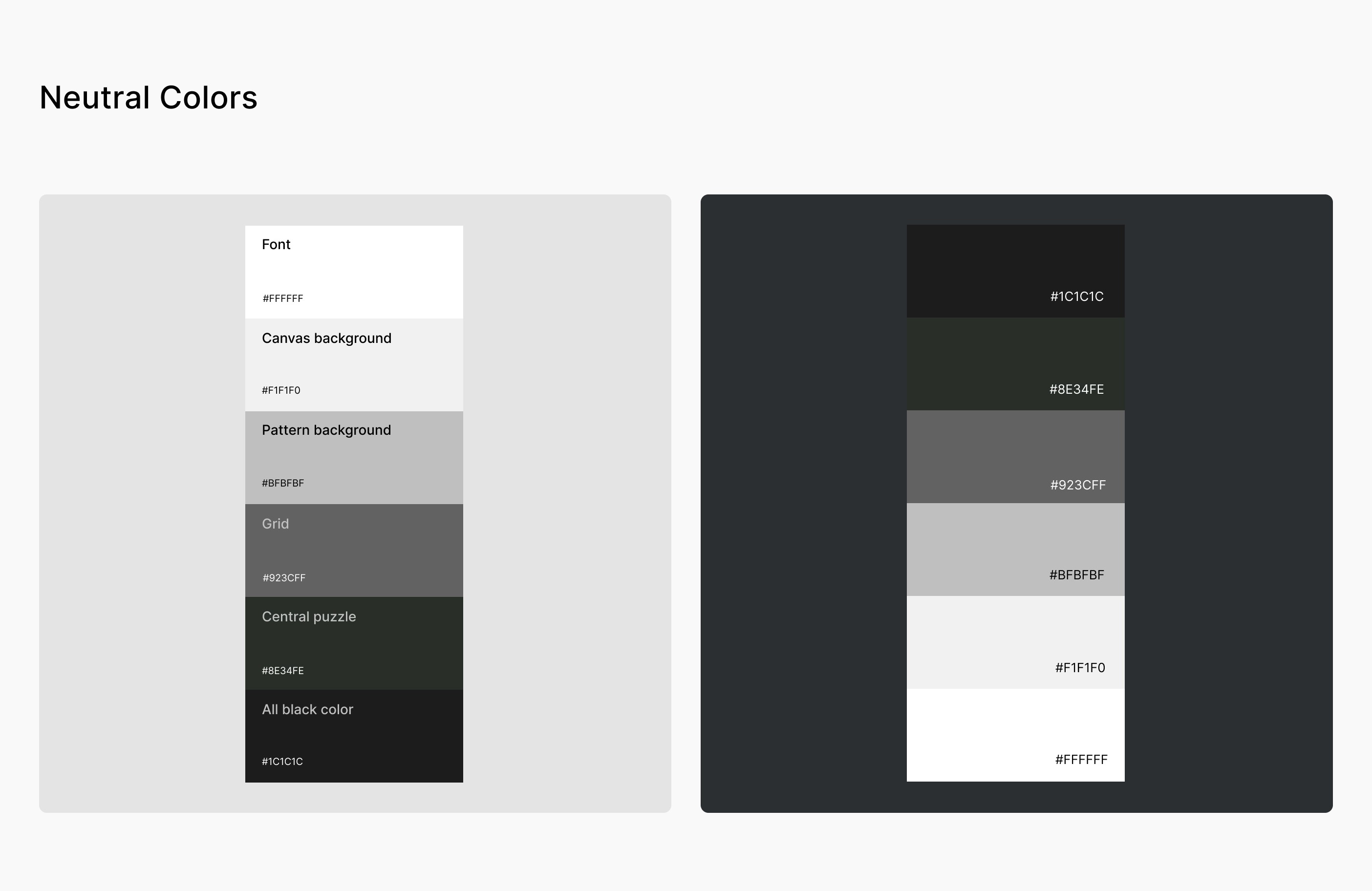
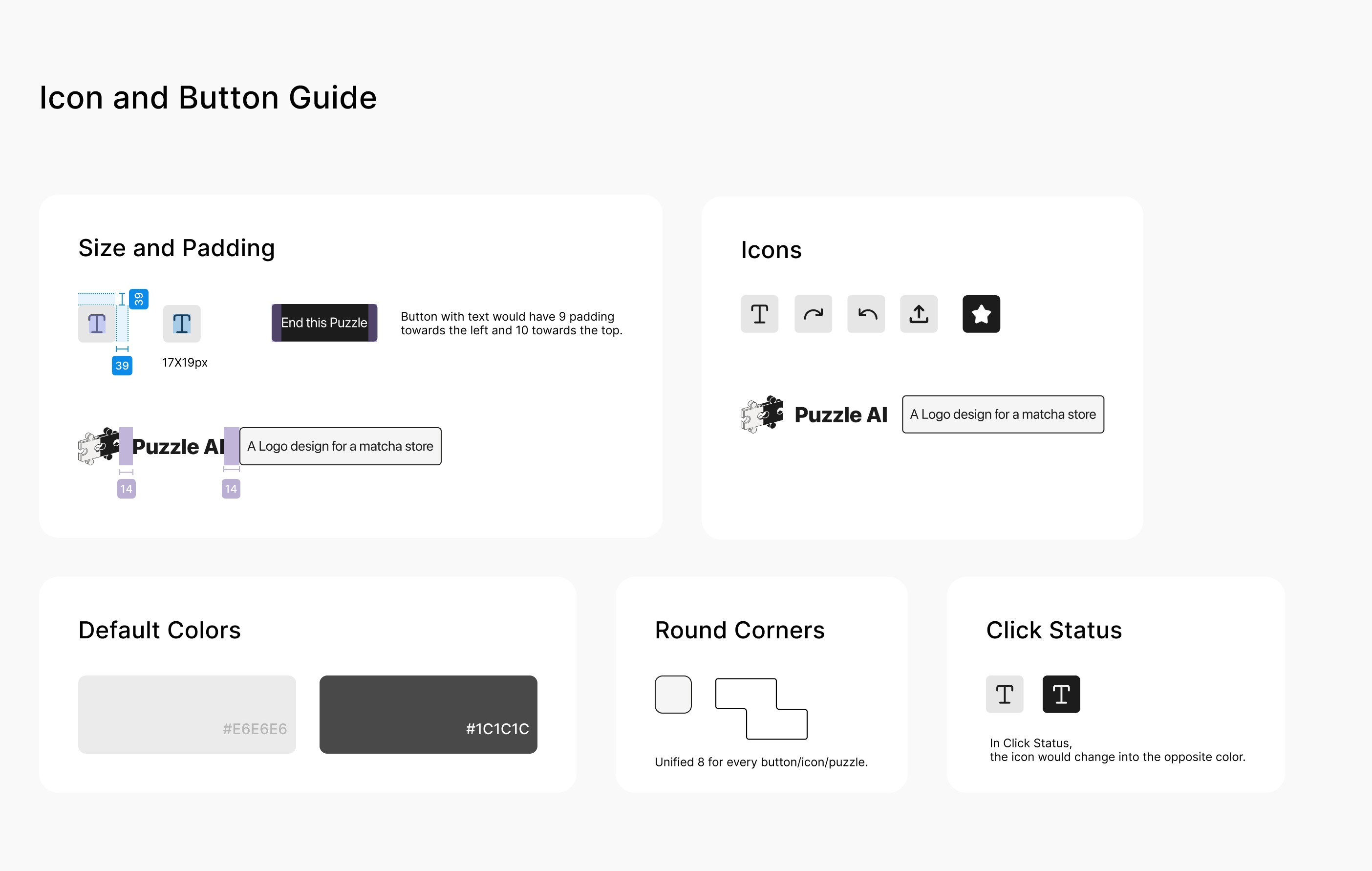
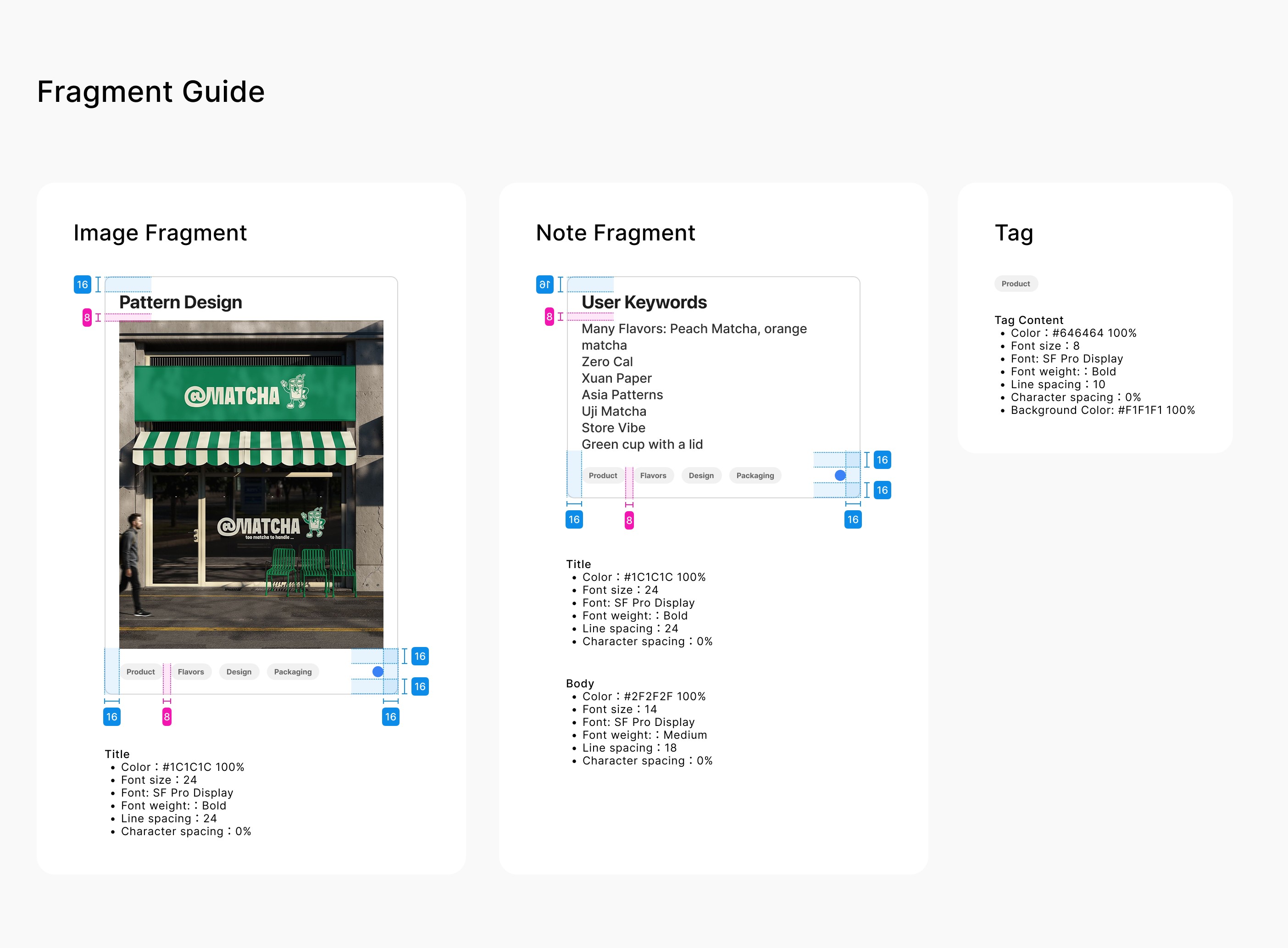
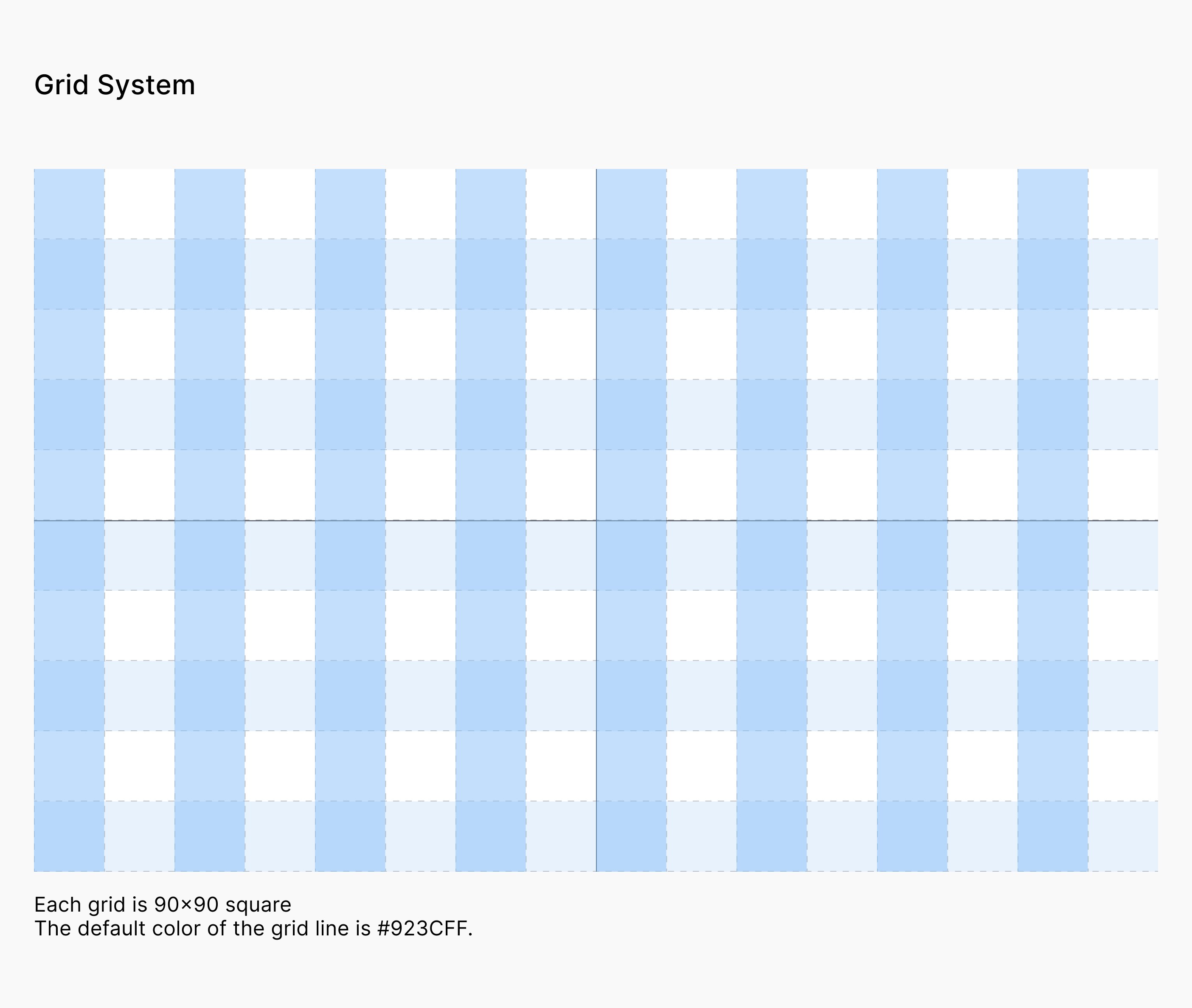
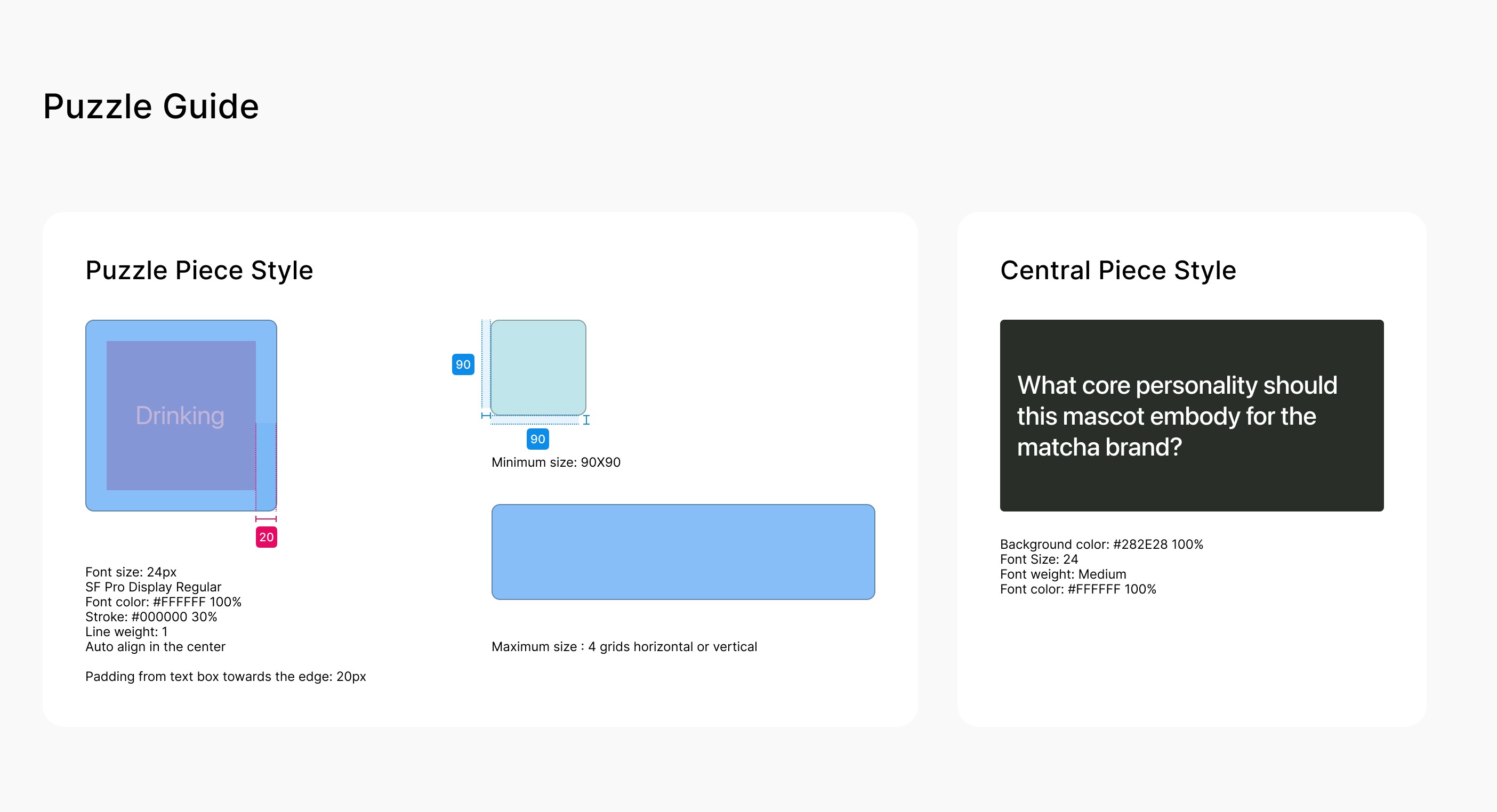
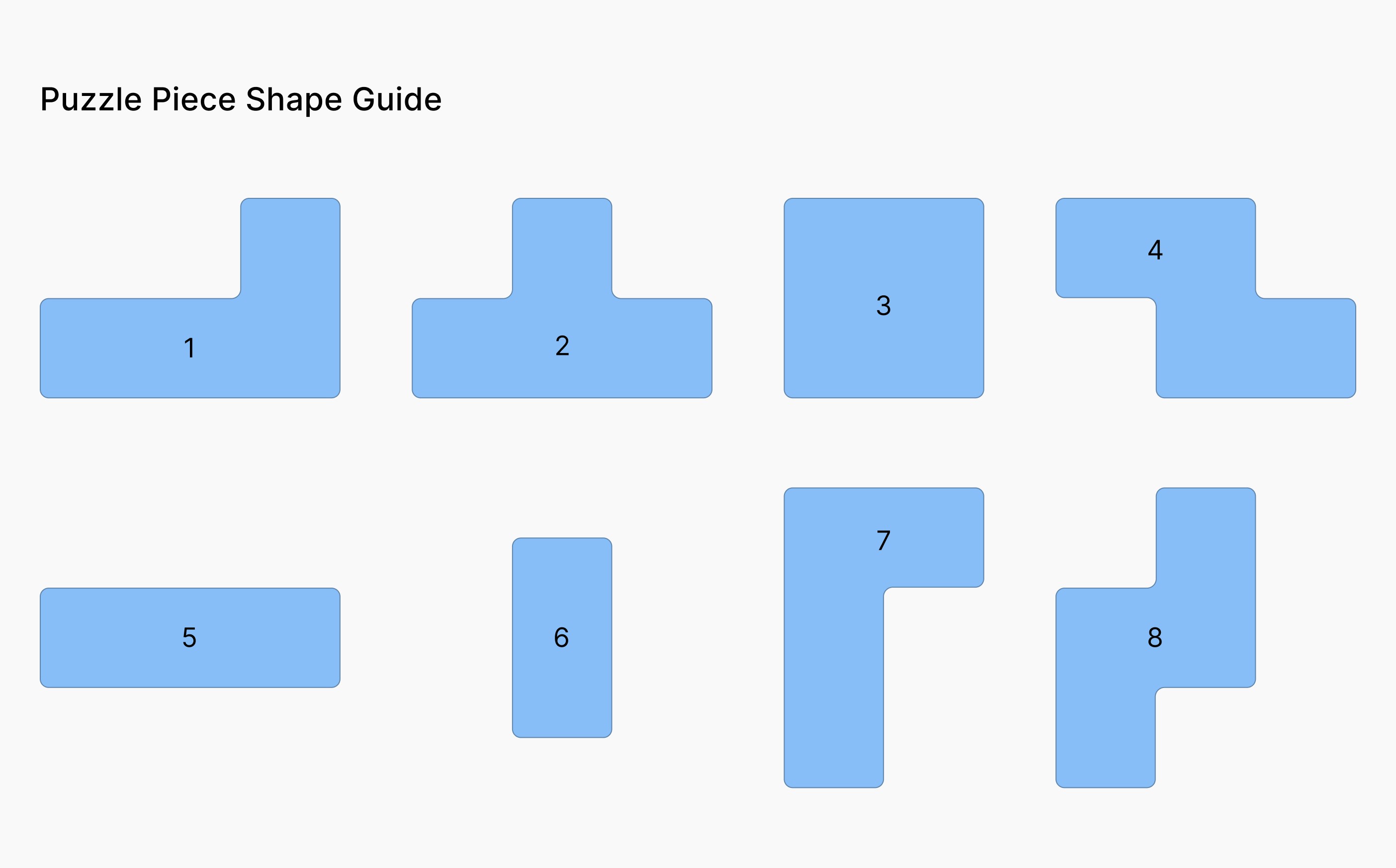
Working together with our visual designer, we developed colors, layout, and hierarchy to support creative thinking.
You can drag left or right to view faster :)
AI Mascot Design
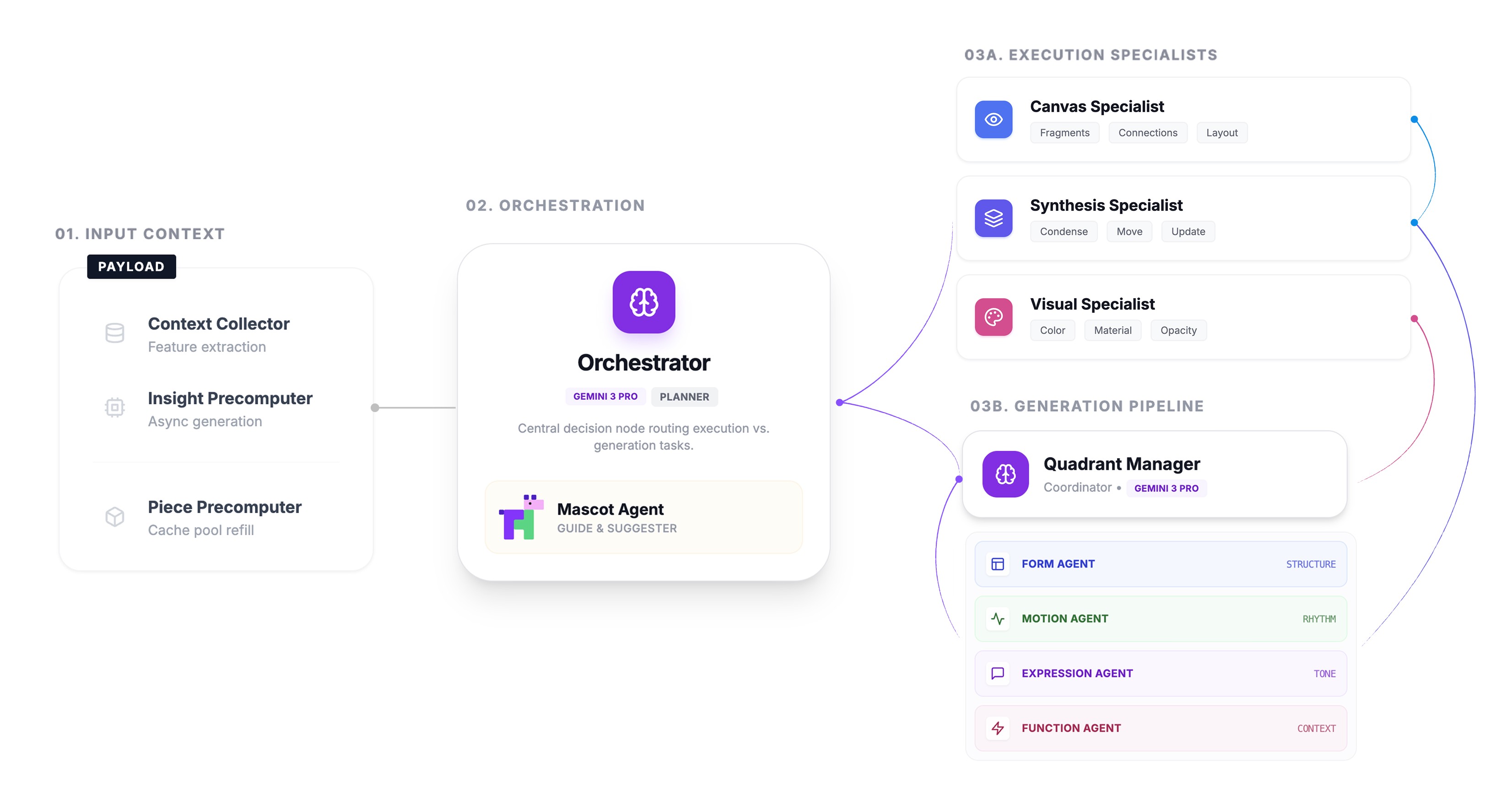
Puzzle AI runs on a multi agent architecture with three-tier system, as illustrated in the figure below:
(01) Input Context for back-ground precomputation
(02) Orchestration layer with central decision routing
(03) Execution Specialists and Generation Pipeline for task-specific processing
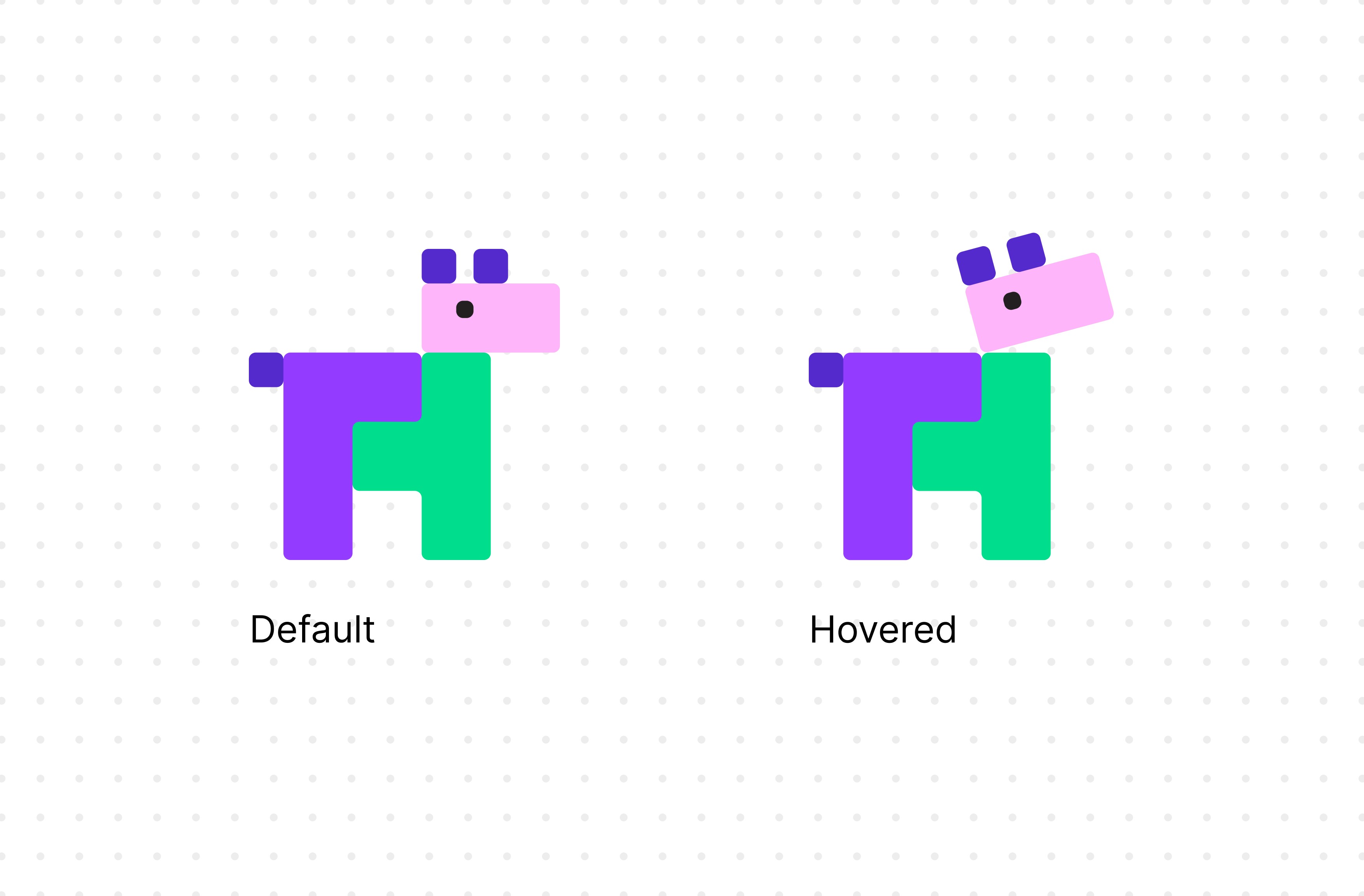
To convey a warm and encouraging vibe, I designed the mascot as a friendly puppy using the puzzle visual language.
The AI assistant is embodied as a friendly mascot character that serves as the single entry point for all conversational interactions, mediating between the user and the underlying agent system.
MVP Walkthrough
Let's put it all together
Here comes the full journey of Puzzle AI - this walkthrough will demonstrate it from the very beginning.
First, let's imagine you are a brand designer, and you have been asked to come up with the concept for a new matcha café — the vibe, mood, story, maybe a name or logo direction.
And you decide to use Puzzle AI to help you brainstorm design directions.
(It will help you better understand the following walkthrough, trust me.)
(01) Onboard
You open up Puzzle AI web app with your laptop, and you write down your project aim as the context for the agent.
(02) Add Fragments
You begin to drop down thoughts that come into your mind when you think about "matcha", and you might also put down some inspirational pics (designs, photos, or anything) as references.
(03) Start a Puzzle Session
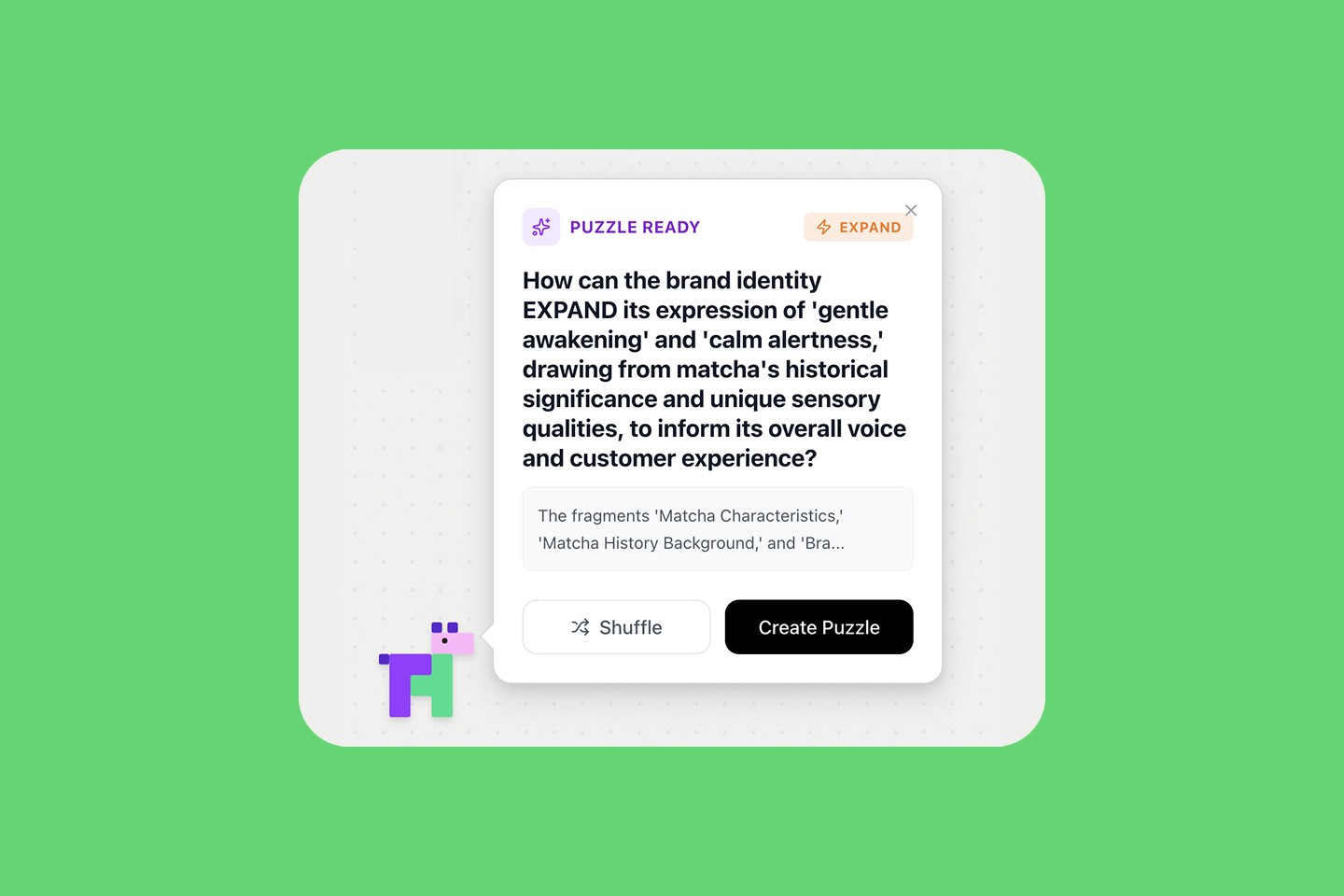
Now you might think, "I have put down enough notes… I should start working on a solid design plan." This is the perfect time for a puzzle session!
Based on your fragments, our agent will pop out a question that lead you dive deeper in a potential direction.
(04) Puzzling!
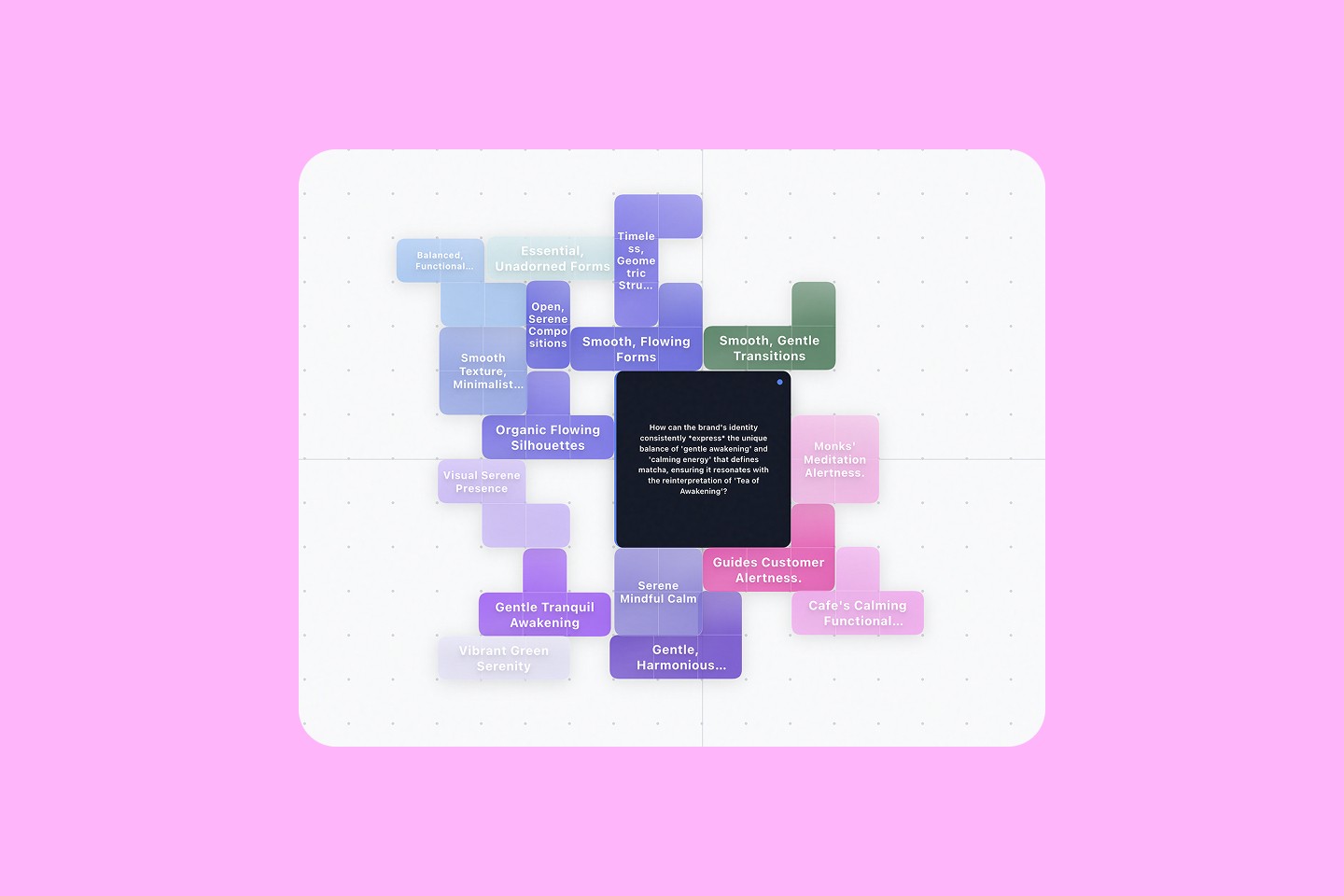
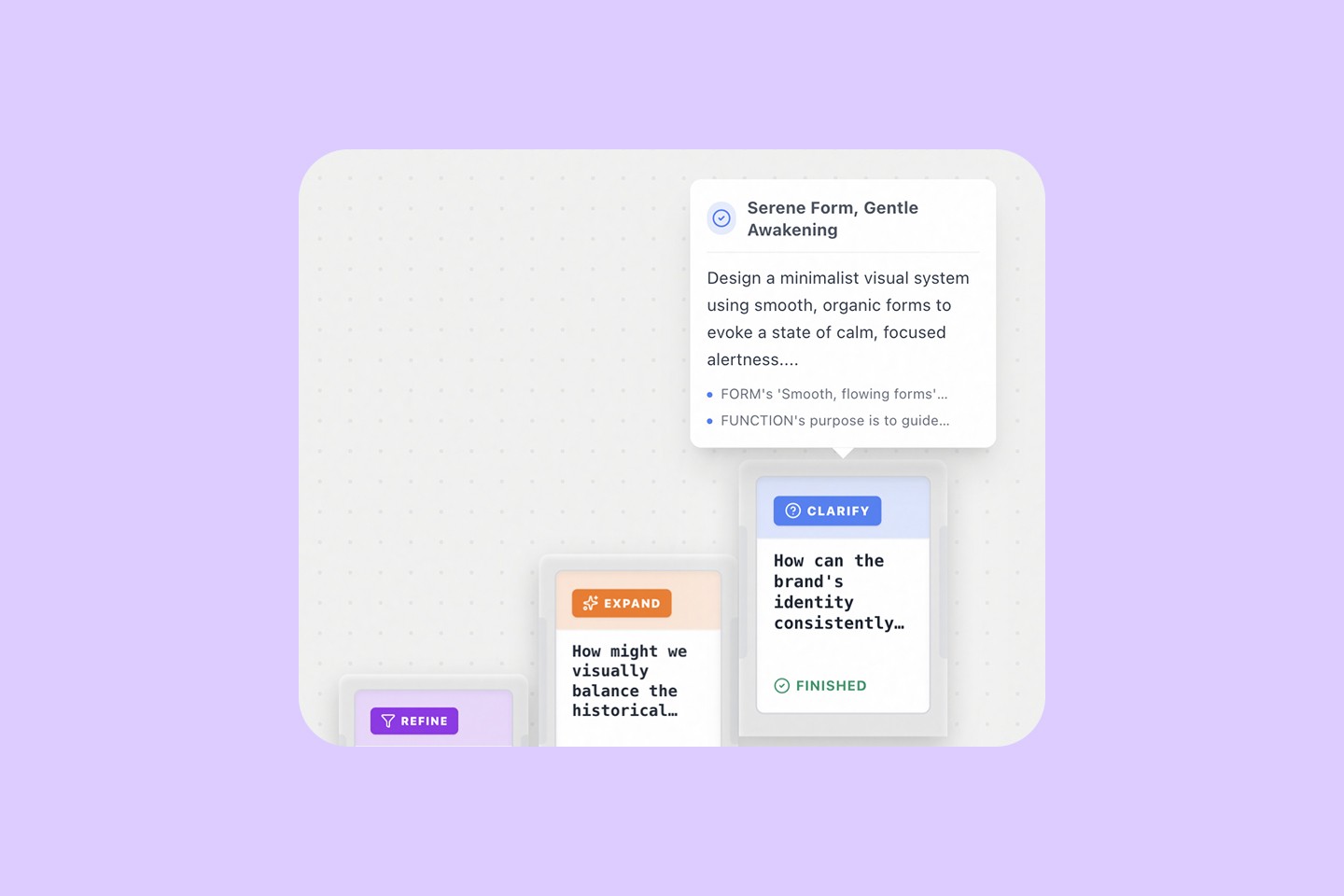
You will see a question in the center piece and four quadrants on each end, suggesting four perspectives from where you can approach the question.
By dragging each quadrant, you will see AI-suggested puzzle pieces with answers coming from your own fragments.
You can always delete unwanted puzzles, or edit them.
(04) End your Session
When you end this session, Puzzle AI will synthesize all these puzzle pieces into a summary.
In this walkthrough, you will get a matcha brand design direction!
(05) More Puzzles
Now that you are back to your canvas, you can add more fragments and start another puzzle session as you want.
User Study
For this MVP, we conducted a moderated study with the same creative prompt you just received: design a brand direction for a matcha café.
Participants (freelance designers) completed a baseline ideation to talk about how naturally design, then repeated the task using Puzzle Prototype. We looked at how their sense-making process changed and collected qualitative insights on clarity, usability, and value.
Here is our study design and a documenting video:
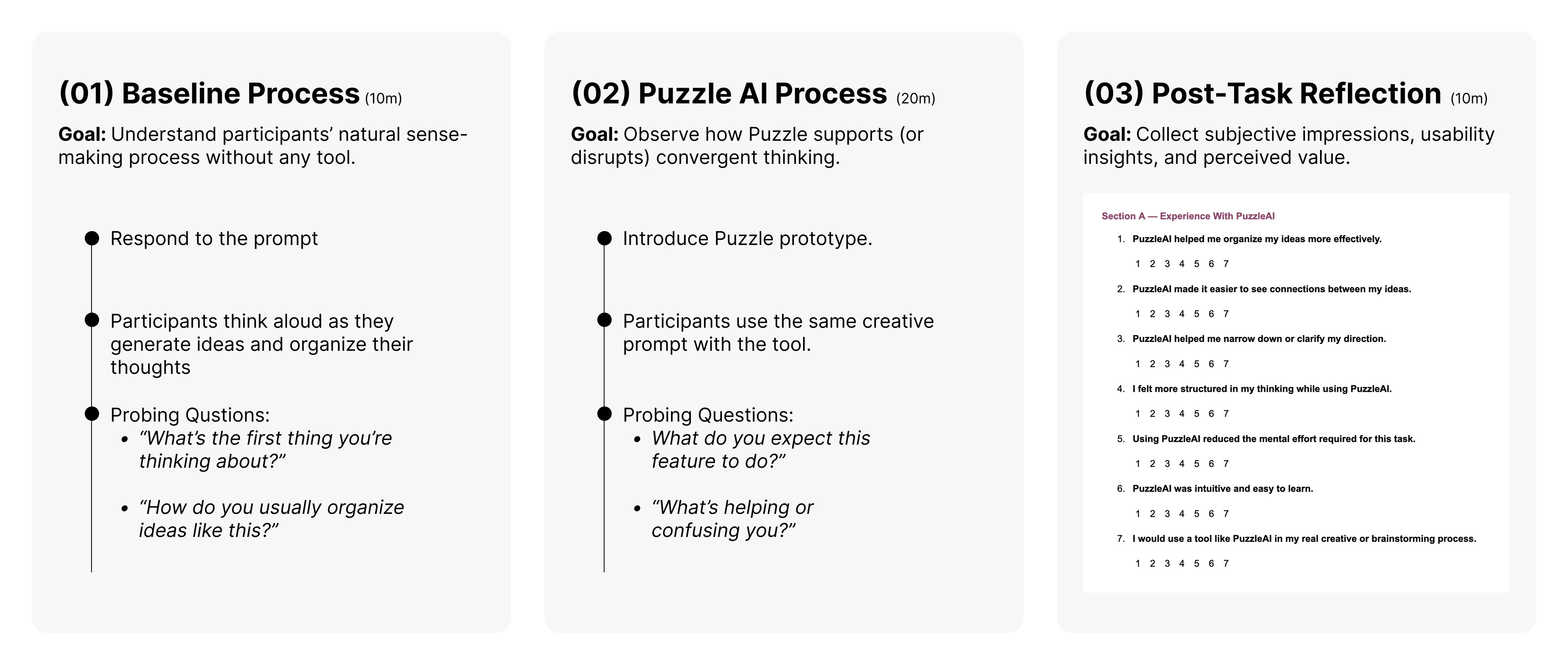
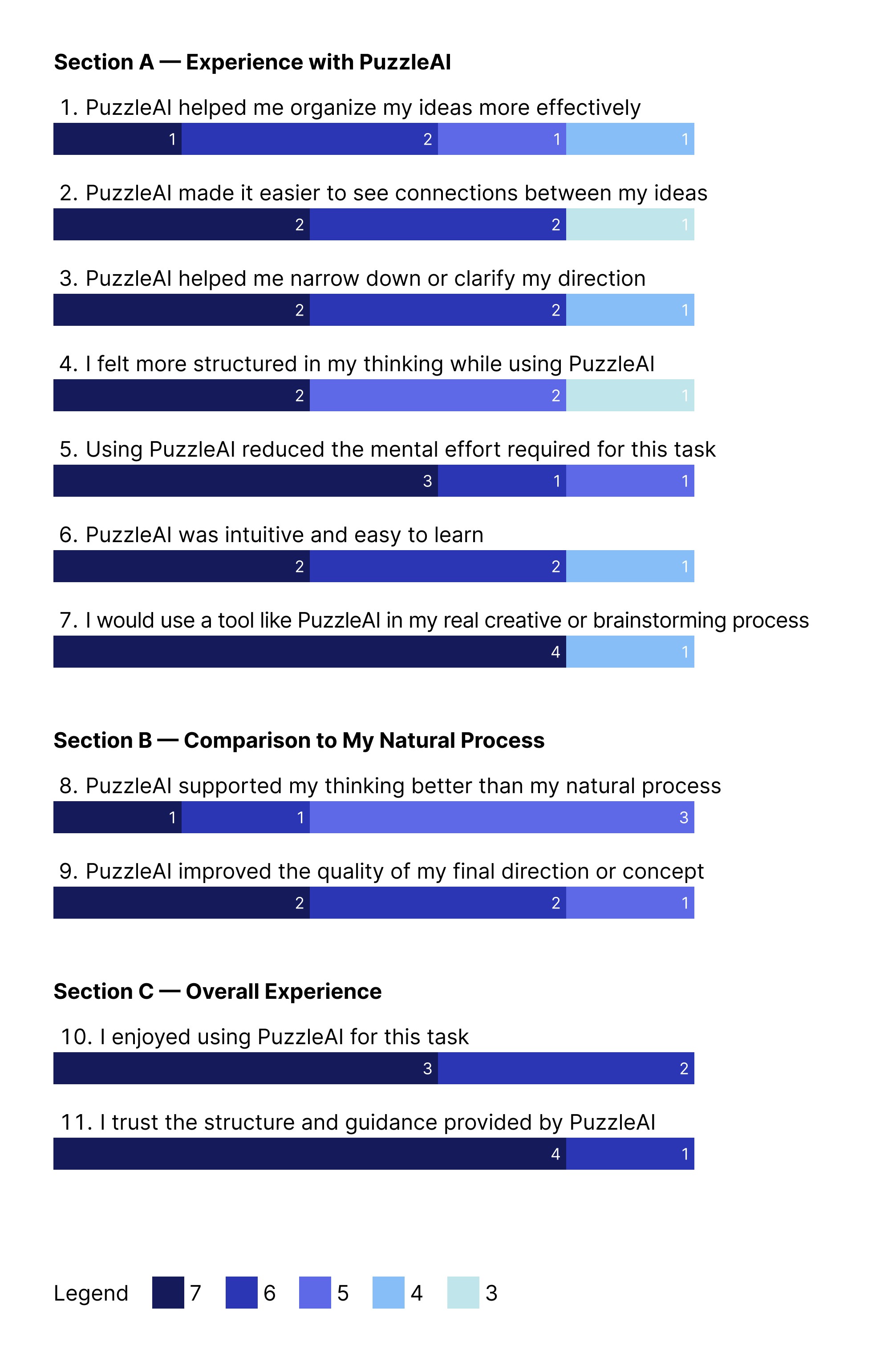
For the Post-Task Reflection, we have the following quantitative results:
Key Takeaways
We have evaluated both quantitative results from the Post-Task Reflection and qualitative insights from our in-depth conversations with our testing users.
These evaluations led us to three key takeaways:
What Users Love
Puzzle AI brings clarity, focus, and emotional relief.
01
“Helped me organize ideas and see connections quickly.” - User 2
02
“It’s a one-step ideation hub that reduces chaos.” - User 4
03
Visual metaphor (puzzles, canvas, mascot) was universally loved.
04
Highest ratings on among clarity, enjoyment, and trust.
Where Users Struggle
Confusions on how to start and how the puzzle works.
01
Onboarding felt hidden; unclear first step.
02
Anchor mechanics + attachment logic is not obvious, and texts were too long to read.
03
Dragging, grouping, spatial navigation felt limited.
04
All participants wanted a undo/redo, zoom, layers, Figma/Miro-like interactions.
What Users Want Next
Make Puzzle AI more visible, guided, and controllable.
01
Put puzzle pieces on the main canvas.
02
Allow rearranging + revisiting previous puzzle sessions.
03
Add gentle scaffolding like more starter prompts, categories, example canvas.
04
Give mascot a purpose and personality (“name it”).
05
Auto-organize fragments + show “why this puzzle.”